Inventory Days Calculation for Australian SMEs
Learn inventory days calculation with practical formulas, AU benchmarks and spreadsheet tips to free working capital and sharpen your cashflow KPIs.
Ansh Malhotra

You're standing in your warehouse, looking at pallets of product and feeling reassured. The shelves are full, orders are still going out, and the profit and loss statement appears healthy. Then the BAS payment, supplier invoices, rent and next advertising bill arrive at the same time, and the cash balance tells a different story.
That's the problem with stock. It can look like business strength while absorbing the cash your business needs to operate. An accurate inventory days calculation shows how quickly your stock converts back into sales and cash, giving you a more useful operating signal than profit alone.
Table of Contents
Why Inventory Days Matter More Than Profit
Profit measures what remains after revenue and costs are recorded. It doesn't tell you when cash will arrive, or how much of your cash is sitting in products that may not sell soon. A business can report a healthy gross margin and still struggle to pay suppliers because it bought too much inventory too early.
Inventory days, also called Days Inventory Outstanding or DIO, translates stock into time. It answers a practical question: based on your cost of goods sold, how long would your current inventory take to move through the business? The calculation uses cost, not selling price, because stock is recorded on the balance sheet at its cost and COGS reflects the cost of products sold.
Gross margin answers a different question. It shows the spread between sales and product cost. It doesn't reveal whether your cash is tied up in fast-moving essentials, ageing seasonal products or an over-optimistic purchase order.

The same margin can produce very different cash positions
Consider two Australian ecommerce brands. Both generate $1.2 million in revenue and operate at a 40% gross margin. One holds 120 days of stock, while the other holds 45 days. The second business has roughly $250,000 more cash available to reinvest, based on the difference in inventory coverage and the shared product economics.
Practical rule: Treat inventory days as a cashflow KPI, not an accounting curiosity.
The founder with the lower DIO can fund advertising, meet supplier terms and absorb an unexpected expense with less reliance on an overdraft. The founder with excess stock may still be profitable, but growth requires cash that is trapped in cartons.
Review DIO weekly if stock is a major cash driver. Monthly reporting is useful for formal management accounts, but it can hide a purchase spike until the business has already committed more cash. A weekly view exposes the direction of travel, especially after a large inbound shipment or a weak sales period.
The DIO Formula and How to Apply It
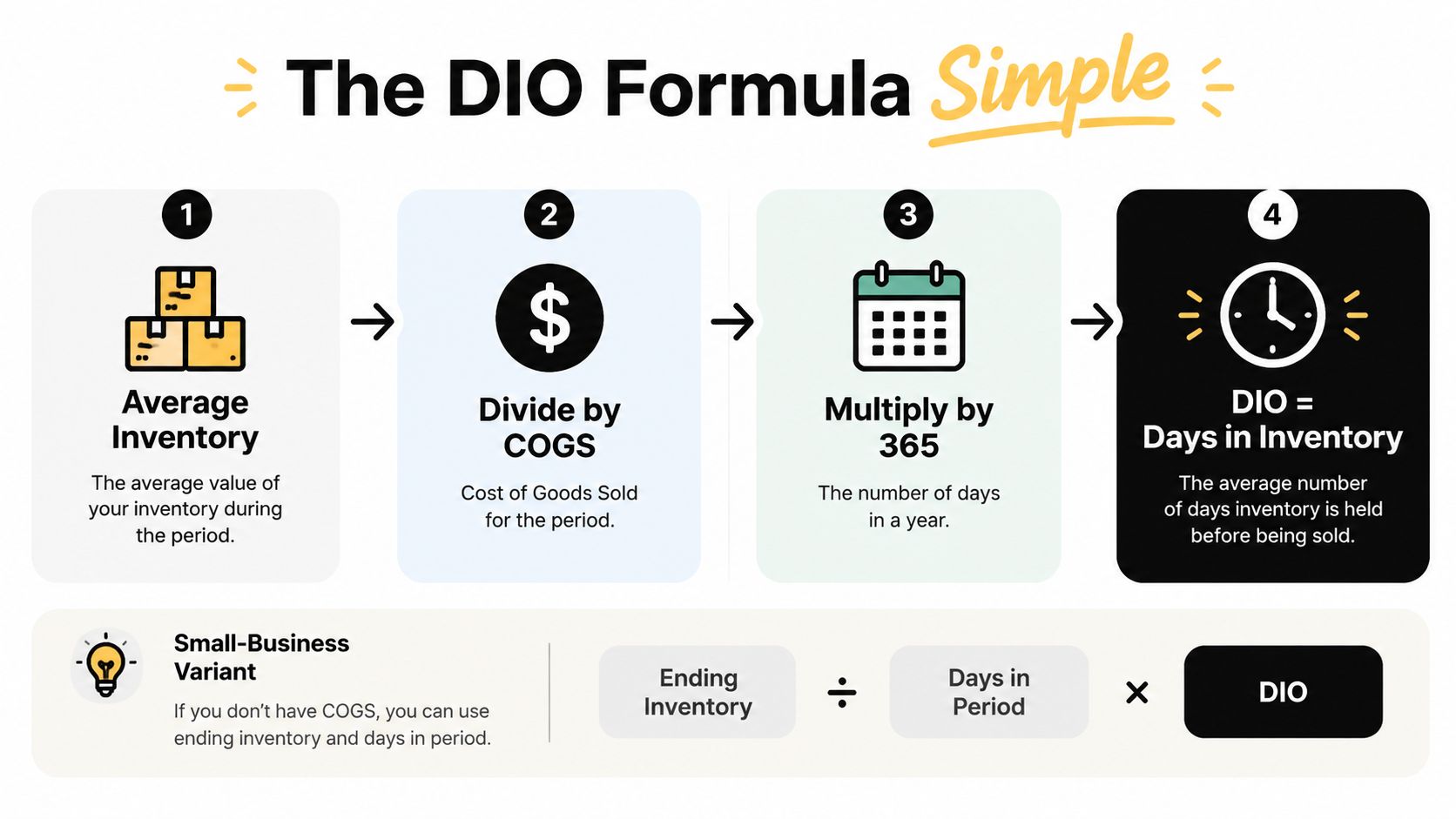
The standard formula is:
DIO = (Average Inventory ÷ COGS) × 365
For a shorter reporting period, use the same period consistently:
DIO = (Average Inventory ÷ COGS for the period) × Days in the period
Australian accounting guidance from MYOB's inventory days guide uses average inventory as the smoothing step:
Average Inventory = (Beginning Inventory + Ending Inventory) ÷ 2
That smoothing matters. If you use only the closing balance, a large receipt just before month-end can make the business look overstocked. If you use only the opening balance, you ignore what happened during the period.
A worked Australian example
Take a Melbourne skincare ecommerce brand with:
Annual COGS: $480,000
Opening inventory: $90,000
Closing inventory: $70,000
First calculate average inventory:
($90,000 + $70,000) ÷ 2 = $80,000
Then calculate DIO:
($80,000 ÷ $480,000) × 365 = 60.8 days
The result means the brand carries approximately 60.8 days of inventory, using the annual COGS and the average of its opening and closing stock.
The daily COGS is:
$480,000 ÷ 365 = approximately $1,315
Multiplying daily COGS by 60.8 days returns approximately $80,000 tied up in stock, which matches the average inventory figure. This translation makes the number useful in a cash meeting. You can ask what would happen if the business reduced stock coverage while protecting customer service.
For seasonal businesses, a two-point average may still be too blunt. Use a 13-month or 13-week rolling average when stock rises and falls sharply across buying cycles. That approach gives management a steadier view than a balance captured on one date.
COGS must come from the profit and loss statement, not revenue. Selling price includes your margin, so using revenue in the denominator makes inventory days look artificially low.
Replicate this calculation in a single spreadsheet column today. For more context on how the stock balance itself is measured, review inventory valuation methods for Australian businesses.
AU Industry Benchmarks You Should Actually Use
There isn't one Australian inventory-days target that works for every founder. A grocery wholesaler, fashion retailer and furniture importer face different lead times, buying cycles, returns and customer expectations.
Australian ecommerce and retail guidance commonly places food and beverage at about 18 to 30 days, fashion at 24 to 60 days, and home and electronics at 60 to 90 days. Those ranges are useful orientation points, but they aren't permission to copy another business's target. Australian inventory turnover guidance also treats DIO as a core working-capital metric alongside receivables and payables, reinforcing the need to assess stock within the broader cash cycle.
Use peer groups, not headline averages
The most common benchmarking mistake is comparing a Brisbane fashion retailer with a Perth grocery wholesaler. Their product lives, return rates, replenishment patterns and seasonality can be completely different. A higher DIO doesn't automatically mean poor management if the business sells bulky, expensive or long-lead-time products.
Use three peers with a similar:
Business size: purchasing power and supplier terms influence stock requirements.
Channel mix: marketplaces, stores and direct ecommerce can create different fulfilment patterns.
Seasonality: a holiday-led business shouldn't be judged against a steady year-round seller.
Product profile: perishables, fashion, electronics and furniture carry different commercial risks.
The table below provides a practical starting point. Treat the healthy range as a prompt for investigation, not a universal rule.
Category | Healthy Range (days) | Watch Zone (days) | Red Flag (days) |
|---|---|---|---|
Food and beverage | 18 to 30 | Above 30 | Well above peer range |
Fashion | 24 to 60 | Above 60 | Well above peer range |
Home and electronics | 60 to 90 | Above 90 | Well above peer range |
For categories outside these groups, benchmark against direct peers and your own trend. “Good” means stock supports service without consuming unnecessary cash. “Average” means the number needs context from sales velocity and supplier lead times. “Bad” means inventory days are rising without a clear commercial reason, especially while sales are flat or declining.
Spreadsheet Templates for Monthly and SKU-Level Tracking
A founder shouldn't need a new software project to start monitoring stock. A disciplined Google Sheet or Excel workbook is enough, provided the definitions stay consistent and the source data is refreshed.
Start with a Monthly Rolling DIO template. Use these columns:
Column | Header | Logic |
|---|---|---|
A | Month End | Reporting date |
B | Closing Stock at Cost | Balance-sheet inventory at cost |
C | COGS for the Month | P&L COGS for the same month |
D | Average Inventory | Previous closing stock plus current closing stock, divided by two |
E | DIO Days | Average inventory divided by COGS, multiplied by days in period |
F | 12-Month Sparkline | Visual trend of column E |
If January closing stock is in B2, February closing stock is in B3, and February COGS is in C3, enter this in D3:
=(B2+B3)/2
For a calendar month, calculate DIO in E3 with:
=D3/C3*DAY(A3)
The DAY function works when the month-end date is the final date of the month. If your period dates aren't month-end dates, use an explicit days-in-period column instead.
For a 12-month sparkline in Google Sheets, place this in F13:
=SPARKLINE(E2:E13,{"charttype","line";"linewidth",2})
Create a separate summary block for a weighted 90-day view. If monthly COGS sits in C2:C13, average inventory in D2:D13, and the relevant day weights sit in G2:G13, use:
=SUMPRODUCT(D2:D13,G2:G13)/SUMPRODUCT(C2:C13,G2:G13)*90
Anchor fixed references with dollar signs when copying formulas across the workbook. For example:
=D3/$C$3*DAY($A$3)
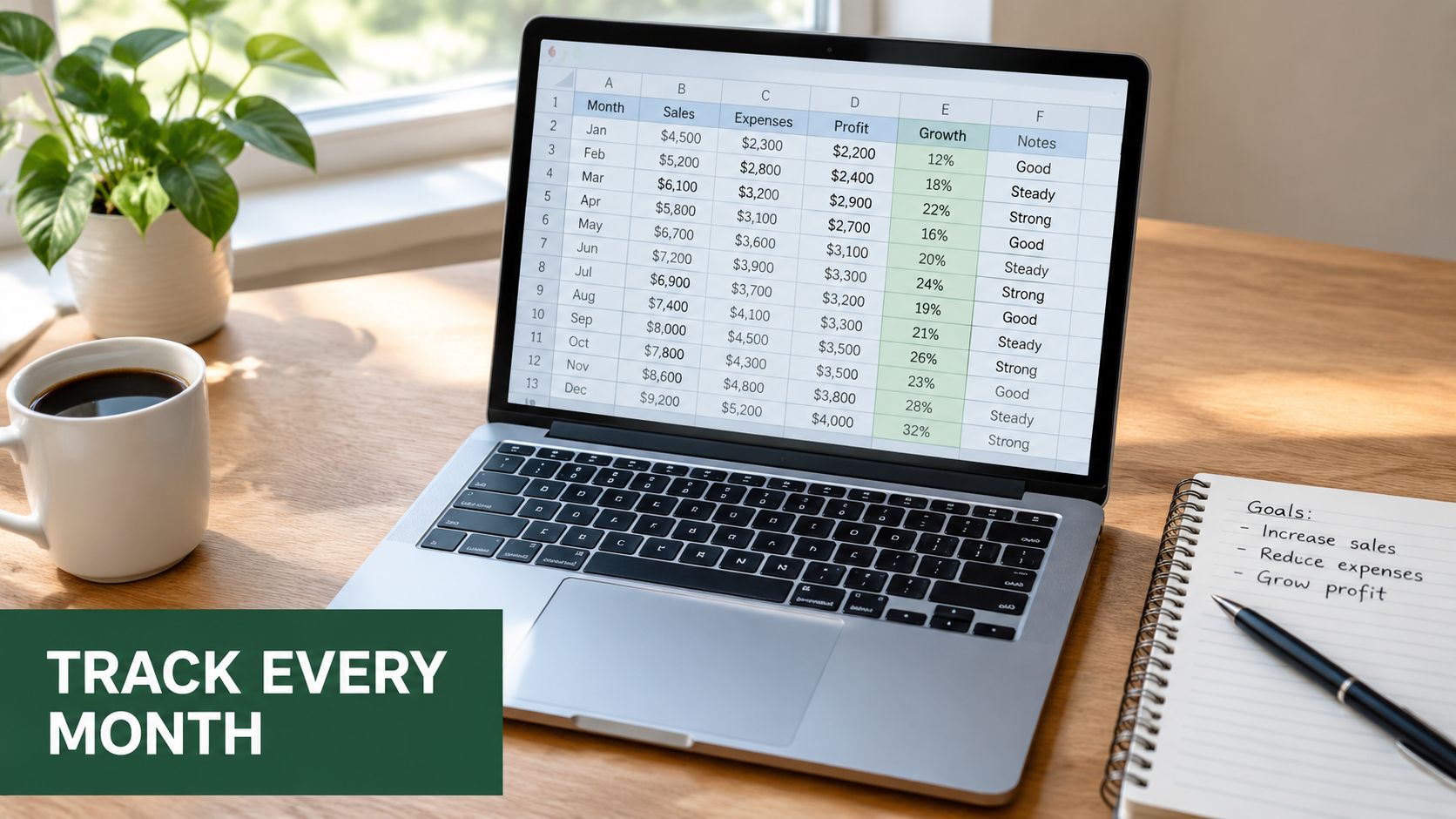
A single cell linked to your Xero or MYOB export can feed the closing-stock column, so the report refreshes without manual rekeying. The exact connection depends on your accounting setup, but the principle is simple: create one controlled source rather than letting several people type competing balances into the sheet.
Track the SKU problem separately
Company-wide DIO can hide a small group of slow-moving products. Build a SKU-Level DIO tab with SKU, description, on-hand units, 13-week units sold and average weekly units sold.
If weekly sales are stored by SKU and date, calculate 13-week units sold with:
=SUMIFS(SalesUnits,SKURange,A2,DateRange,">="&TODAY()-91,DateRange,"<="&TODAY())
Calculate average weekly units sold:
=D2/13
Then calculate unit-based days on hand:
=C2/E2*7
Apply conditional formatting to the result column, with values above 90 days shown in red. That threshold is a management alert, not an Australian industry standard. It tells you where to ask a question.
The spreadsheet should support decisions, not become another reporting burden.
Five Common Calculation Mistakes and How to Fix Them
Most bad DIO reports don't fail because the formula is difficult. They fail because the inputs don't describe the same business period or the same inventory population.
1. The denominator doesn't match the stock period
Annualising six months of COGS while using only four months of representative stock inflates or distorts the result. Match the inventory period to the COGS period, or export trailing 365-day COGS from the P&L.
2. A year-end stock spike controls the numerator
A June balance can be unusually high after a seasonal purchase. Using that single closing figure makes the business look permanently overstocked. Average 13 month-end balances when seasonality or shipment timing creates large swings.
3. Gross COGS excludes freight and duty
Product cost isn't always the supplier invoice alone. Freight, customs duty and other landed costs can materially affect the cost attached to stock. Add a Landed Cost column to the SKU template and document which costs belong in your inventory valuation.
4. Consignment and drop-ship stock are mixed into owned inventory
Consignment stock may not belong on your balance sheet, while drop-shipped products may never sit in your warehouse. Mixing these arrangements into owned stock can inflate or deflate DIO. Add a flag column and exclude or separately report inventory you don't own.
5. Stale SKUs remain in the average
A company-wide number can appear acceptable while obsolete products sit untouched. For SKU-level analysis, separate anything with zero sales in 180 days from active stock, then decide whether it needs a clearance plan, write-down or disposal review.

A clean formula can't rescue inconsistent definitions. Write down what counts as inventory, which COGS period you use and whether landed costs are included.
Tactics to Reduce Inventory Days and Free Up Cash
Reducing inventory days isn't a cost-cutting contest. The objective is to release cash while preserving the products, availability and service levels that create sales. Cutting too aggressively can replace excess stock with stockouts, missed orders and frustrated customers.
The fastest gains usually come from SKU decisions and purchasing discipline.
Five moves for the next quarter
Review SKU-level DIO weekly. Quarantine products above your internal threshold and bundle them through Shopify or a relevant marketplace. Price the offer to recover an acceptable share of cost, rather than allowing ageing stock to occupy warehouse space indefinitely.
Reduce minimum order quantities. Ask suppliers for fortnightly drops instead of quarterly container commitments where the economics work. Smaller, more frequent receipts reduce the size of stock spikes and give you better information before the next purchase.
Use buy-on-confirm for the slowest range. For products with uncertain demand, place a back-to-back purchase order only after a customer order is confirmed. Make the model clear to customers where lead times differ from stocked products.
Reset reorder points using demand and lead time. A practical starting formula is:
Reorder point = average daily demand × supplier lead time + safety stock
Replace gut feel with recent sales, documented supplier timing and a deliberate safety buffer.
Move bulky, slow-turn products to a different operating model. Drop-shipping or a 3PL arrangement may reduce the amount of capital held directly on your balance sheet, but review fees, service standards and margin before making the switch.
Use ecommerce inventory management guidance to connect purchasing, fulfilment and cash decisions rather than treating the warehouse as a standalone function.
Tactic | Typical DIO Reduction (days) | Indicative Cash Released (AUD) | Time to Implement |
|---|---|---|---|
Weekly SKU review and clearance | Qualitative, varies by range | Depends on recoverable stock value | Short |
Smaller supplier drops | Qualitative, often meaningful | Depends on order size and timing | Medium |
Buy-on-confirm for slow movers | Qualitative, product-specific | Depends on slow-moving stock | Medium |
Reorder-point reset | Qualitative, demand-dependent | Depends on safety stock and lead time | Short to medium |
Drop-ship or 3PL shift | Qualitative, category-dependent | Depends on transferred stock exposure | Medium |
The requested dollar outcome should never be guessed from revenue alone. A business turning over $2 million annually can release very different cash amounts depending on gross margin, purchase cadence, stock mix and supplier terms. Calculate the cash impact from the actual inventory balance you can remove or avoid purchasing.
Connecting DIO to Cashflow, KPIs and Your Next 30 Days
DIO becomes more powerful when you place it inside the cash conversion cycle:
Cash Conversion Cycle = DSO + DIO − DPO
DSO measures how long customers take to pay. DPO measures how long you take to pay suppliers. DIO sits between them, showing how long cash remains committed to stock before the sales cycle can recover it. This cash conversion cycle guide gives the broader framework.
Track three weekly indicators:
DIO: cost-based inventory coverage.
Stock-to-sales ratio: whether inventory is growing faster than sales.
GMROII: gross margin return on inventory investment, showing whether the stock earns enough margin to justify the capital committed.
A 30-day operating checklist
Week 1: Calculate baseline DIO, confirm the COGS definition and tag your business against the closest Australian category and peer set.
Week 2: Review SKU-level coverage, separate stale products and reset reorder points using demand and supplier lead time.
Week 3: Renegotiate minimum order quantities, delivery cadence and payment terms with priority suppliers.
Week 4: Wire the dashboard to your accounting or inventory data, assign an owner and set a weekly review meeting.
Bookkeep the new calculation, brief the leadership team and schedule a 60-day re-measure. The improvement needs to be visible in stock, cash and operating decisions, not just in a spreadsheet.
Nexist helps Australian founders connect inventory reporting to cashflow forecasts, KPI dashboards and practical operating changes. If stock is consuming cash or your team lacks a reliable weekly view, visit Nexist to discuss a finance and operations system built around the numbers that drive your business.
inventory days, DIO formula, working capital, AU benchmarks, cashflow KPI

" width="24px"/><g d="M 0 24.129 L 0 0.129 L 24 0.129 L 24 24.129 Z M 0 24.129 L 0 0.129 L 24 0.129 L 24 24.129 Z M 24 3 C 24 1.344 22.656 0 21 0 L 3 0 C 1.344 0 0 1.344 0 3 L 0 21 C 0 22.656 1.344 24 3 24 L 21 24 C 22.656 24 24 22.656 24 21 Z M 6.883 8.375 L 2.863 8.375 L 2.863 20.467 L 6.883 20.467 Z M 4.899 2.545 C 3.524 2.545 2.625 3.449 2.625 4.634 C 2.625 5.795 3.496 6.724 4.846 6.724 L 4.872 6.724 C 6.273 6.724 7.146 5.795 7.146 4.634 C 7.12 3.449 6.274 2.545 4.899 2.545 Z M 16.747 8.09 C 14.614 8.09 13.659 9.263 13.124 10.086 L 13.124 8.374 L 9.105 8.374 C 9.159 9.508 9.105 20.466 9.105 20.466 L 13.124 20.466 L 13.124 13.713 C 13.124 13.352 13.15 12.99 13.257 12.732 C 13.547 12.01 14.209 11.262 15.319 11.262 C 16.773 11.262 17.355 12.372 17.355 13.996 L 17.355 20.466 L 21.374 20.466 L 21.374 13.532 C 21.374 9.818 19.391 8.09 16.747 8.09 Z" fill="transparent" height="24.12890599668026px" id="dSFdkJotL" width="24px"><path d="M 0 24 L 0 0 L 24 0 L 24 24 Z" fill="transparent" height="24px" id="wscNJE44G" transform="translate(0 0.129)" width="24px"/><g d="M 0 24.129 L 0 0.129 L 24 0.129 L 24 24.129 Z M 24 3 C 24 1.344 22.656 0 21 0 L 3 0 C 1.344 0 0 1.344 0 3 L 0 21 C 0 22.656 1.344 24 3 24 L 21 24 C 22.656 24 24 22.656 24 21 Z M 6.883 8.375 L 2.863 8.375 L 2.863 20.467 L 6.883 20.467 Z M 4.899 2.545 C 3.524 2.545 2.625 3.449 2.625 4.634 C 2.625 5.795 3.496 6.724 4.846 6.724 L 4.872 6.724 C 6.273 6.724 7.146 5.795 7.146 4.634 C 7.12 3.449 6.274 2.545 4.899 2.545 Z M 16.747 8.09 C 14.614 8.09 13.659 9.263 13.124 10.086 L 13.124 8.374 L 9.105 8.374 C 9.159 9.508 9.105 20.466 9.105 20.466 L 13.124 20.466 L 13.124 13.713 C 13.124 13.352 13.15 12.99 13.257 12.732 C 13.547 12.01 14.209 11.262 15.319 11.262 C 16.773 11.262 17.355 12.372 17.355 13.996 L 17.355 20.466 L 21.374 20.466 L 21.374 13.532 C 21.374 9.818 19.391 8.09 16.747 8.09 Z" fill="transparent" height="24.12890599668026px" id="sTpjGo1tb" width="24px"><path d="M 0 24 L 0 0 L 24 0 L 24 24 Z" fill="transparent" height="24px" id="s7ffpmKOD" transform="translate(0 0.129)" width="24px"/><g d="M 24 3 C 24 1.344 22.656 0 21 0 L 3 0 C 1.344 0 0 1.344 0 3 L 0 21 C 0 22.656 1.344 24 3 24 L 21 24 C 22.656 24 24 22.656 24 21 Z M 6.883 8.375 L 2.863 8.375 L 2.863 20.467 L 6.883 20.467 Z M 4.899 2.545 C 3.524 2.545 2.625 3.449 2.625 4.634 C 2.625 5.795 3.496 6.724 4.846 6.724 L 4.872 6.724 C 6.273 6.724 7.146 5.795 7.146 4.634 C 7.12 3.449 6.274 2.545 4.899 2.545 Z M 16.747 8.09 C 14.614 8.09 13.659 9.263 13.124 10.086 L 13.124 8.374 L 9.105 8.374 C 9.159 9.508 9.105 20.466 9.105 20.466 L 13.124 20.466 L 13.124 13.713 C 13.124 13.352 13.15 12.99 13.257 12.732 C 13.547 12.01 14.209 11.262 15.319 11.262 C 16.773 11.262 17.355 12.372 17.355 13.996 L 17.355 20.466 L 21.374 20.466 L 21.374 13.532 C 21.374 9.818 19.391 8.09 16.747 8.09 Z" fill="transparent" height="24.000006px" id="D0ecaHEcW" transform="translate(0 0)" width="24px"><path d="M 24 3 C 24 1.344 22.656 0 21 0 L 3 0 C 1.344 0 0 1.344 0 3 L 0 21 C 0 22.656 1.344 24 3 24 L 21 24 C 22.656 24 24 22.656 24 21 Z" fill="rgb(55, 184, 218)" height="24.000006px" id="IPLFE6zXx" width="24px"/><path d="M 4.02 0 L 0 0 L 0 12.092 L 4.02 12.092 Z" fill="rgb(255, 255, 255)" height="12.09201px" id="FWhtzAyuY" transform="translate(2.863 8.375)" width="4.02px"/><path d="M 2.274 0 C 0.899 0 0 0.904 0 2.089 C 0 3.25 0.871 4.179 2.221 4.179 L 2.247 4.179 C 3.648 4.179 4.521 3.25 4.521 2.089 C 4.495 0.904 3.649 0 2.274 0 Z" fill="rgb(255, 255, 255)" height="4.17876px" id="VmOsKv4kO" transform="translate(2.625 2.545)" width="4.52095px"/><path d="M 7.641 0 C 5.509 0 4.554 1.173 4.019 1.996 L 4.019 0.284 L 0 0.284 C 0.053 1.419 0 12.376 0 12.376 L 4.019 12.376 L 4.019 5.623 C 4.019 5.262 4.045 4.9 4.151 4.642 C 4.442 3.92 5.103 3.172 6.214 3.172 C 7.667 3.172 8.25 4.282 8.25 5.907 L 8.25 12.376 L 12.269 12.376 L 12.269 5.442 C 12.269 1.728 10.286 0 7.641 0 Z" fill="rgb(255, 255, 255)" height="12.37626px" id="n1XUbhaq0" transform="translate(9.105 8.09)" width="12.268830000000001px"/></g></g></g></g></svg>)