CFO's Guide: Automating Business Processes for SMEs
Guide for Australian SMEs on automating business processes. Identify opportunities, choose tech, and measure ROI from a CFO perspective.
Ansh Malhotra
You're probably already doing parts of this by hand.
A staff member exports a CSV, someone else checks it against Xero or MYOB, overdue invoices get chased only when cash feels tight, payroll questions land in your inbox, and stock issues don't show up until a customer asks where their order is. None of that looks dramatic in isolation. Together, it drains margin, slows cash collection, and keeps the founder stuck in operator mode.
That's why automating business processes matters for Australian SMEs. Not because it's fashionable. Because manual handoffs create leaks. They hide in receivables follow-up, approval delays, reconciliation work, onboarding admin, and stock updates. If you fix those flows properly, you usually don't just save time. You improve control over cash and free your team to do work that moves the business forward.
Table of Contents
Why Automation Is a Financial Strategy Not a Tech Project
Most founders treat automation like a software decision. That's the wrong starting point.
The question isn't which app to buy. It's where your business is losing money through delay, inconsistency, and rework. If approvals sit in inboxes, invoices go out late, low-stock alerts rely on memory, or payroll changes get handled through messages and spreadsheets, you've got a financial problem wearing an operational disguise.
In Australia, this sits inside a bigger economic push. The Australian Government's Digital Economy Strategy set a target for Australia to become a top-10 digital economy and society by 2030, and the Productivity Commission has estimated that greater adoption of digital technologies could lift annual labour productivity growth by about 0.5 percentage points according to this business process automation statistics summary. For an SME owner, that matters because productivity doesn't improve through good intentions. It improves when routine work runs with fewer manual interruptions.
What finance teams see first
A finance-first view of automation usually surfaces the same pain points:
Receivables drift because invoice reminders depend on someone remembering to send them.
Approval bottlenecks hold up purchasing, billing, payroll changes, or customer responses.
Reporting lag means decisions get made on stale numbers.
Staff time gets misused on repetitive admin instead of sales, service, stock planning, or client delivery.
Practical rule: If a process touches cash, margin, or staff capacity every week, it deserves review before any nice-to-have automation project.
That's also why AI only helps when the underlying workflow is already sensible. If you want a useful primer on where AI fits into practical workflow design, Cyndra's insights on AI automation are worth reading alongside a finance-led review.
What works and what doesn't
What works is narrow, targeted automation tied to a business outcome. Faster invoicing. Cleaner approvals. Better inventory visibility. Fewer payroll errors.
What doesn't work is buying a broad platform and hoping the team will “find uses for it”. That's how SMEs end up paying for features they never implement while the actual bottlenecks stay untouched.
Automation should be judged like any other investment. Does it tighten controls, improve throughput, shorten the path to cash, or release skilled people from low-value work? If the answer is no, it's not strategy. It's software spend.
Finding Your First Automation Wins
The first automation should be boring. That's usually a good sign.
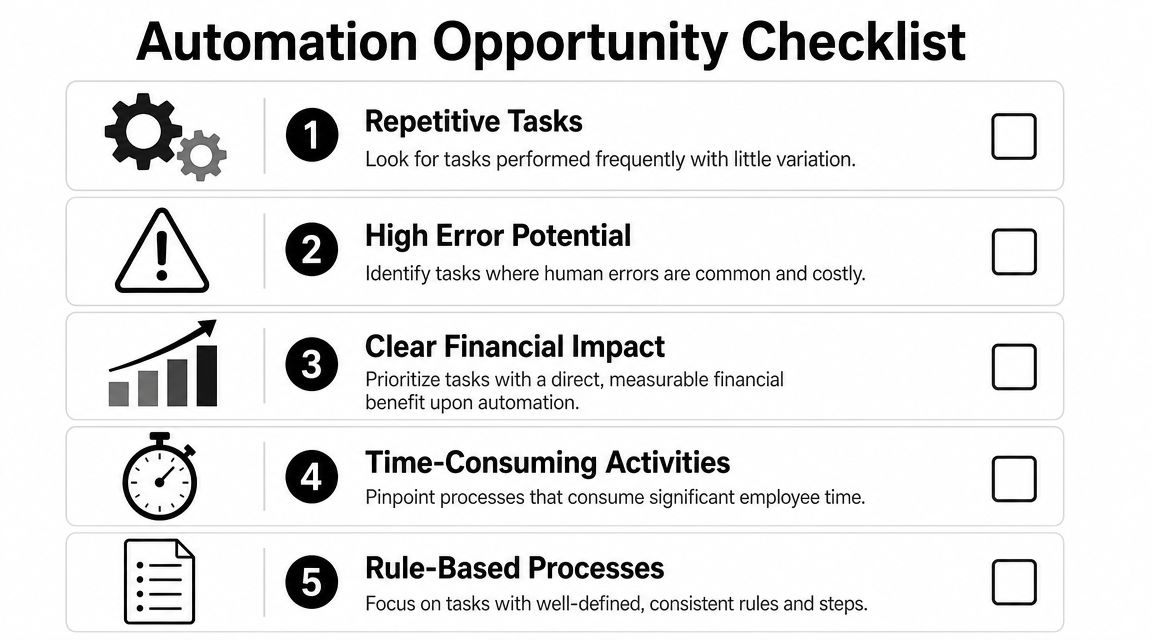
You don't start with the most complex workflow in the business. You start where the process is repetitive, rule-based, and clearly linked to cash or labour capacity. The aim is to prove value fast, not to impress anyone with a complicated build.
Start where cash is already leaking
A practical benchmarking method is to score workflows on frequency, hours consumed, error exposure, and revenue impact, then prioritise the highest-scoring processes. That approach is useful because it surfaces common cash leaks such as invoicing, approvals, and handoffs, as noted in this process automation scoring guide.
In plain terms, look for work that has four traits:
It happens often. Daily or weekly processes create more drag than monthly ones.
It consumes real time. If your team spends chunks of the week on follow-up, checking, copying, or updating, there's usually an automation angle.
It's easy to get wrong. Errors in billing, stock, payroll inputs, or approvals create rework and sometimes compliance issues.
It touches cash. The closer a workflow is to invoicing, collections, stock availability, or delivery, the faster the payoff tends to show up.
For example, a trade business might start with overdue invoice reminders and quote approval tracking. An ecommerce operator might start with low-stock alerts and exception-based order reviews. A professional services firm might focus on client onboarding, timesheet reminders, and draft invoice preparation.
If your bottleneck sits inside supplier bills and payment routing, this guide to accounts payable automation in Australia is a logical next read because AP often hides delays, duplicate handling, and missed approvals.
Use a simple scoring matrix
Keep the scoring model simple enough that your team will use it. A 1 to 5 score works well for each factor.
Process to Automate | Frequency (1-5) | Hours Consumed (1-5) | Error Risk (1-5) | Cash Impact (1-5) | Total Score |
|---|---|---|---|---|---|
Overdue invoice reminders | 5 | 4 | 3 | 5 | 17 |
Supplier bill approvals | 4 | 3 | 4 | 4 | 15 |
Low-stock alerts | 4 | 3 | 4 | 5 | 16 |
Payroll change requests | 3 | 3 | 5 | 4 | 15 |
Client onboarding admin | 4 | 4 | 3 | 3 | 14 |
This table isn't there to produce a perfect scientific answer. It gives you a disciplined way to choose what goes first.
Focus on the process that scores high on cash impact and error risk, even if it isn't the loudest complaint in the business.
Once you've shortlisted candidates, test whether the data is already clean enough to automate. If the process relies on three spreadsheets, inconsistent naming, and inbox-based approvals, fix that first. Teams looking at data-heavy workflows often benefit from examples of how to transform business with data automation before building anything more advanced.
A common mistake is choosing a workflow because it feels annoying. Annoyance matters, but finance should break the tie. Start with the workflow where better execution either brings cash in sooner, prevents margin leakage, or releases skilled hours from repetitive admin.
Choosing the Right Tech Without Overspending
Software selection gets expensive when founders buy for future complexity instead of current needs.
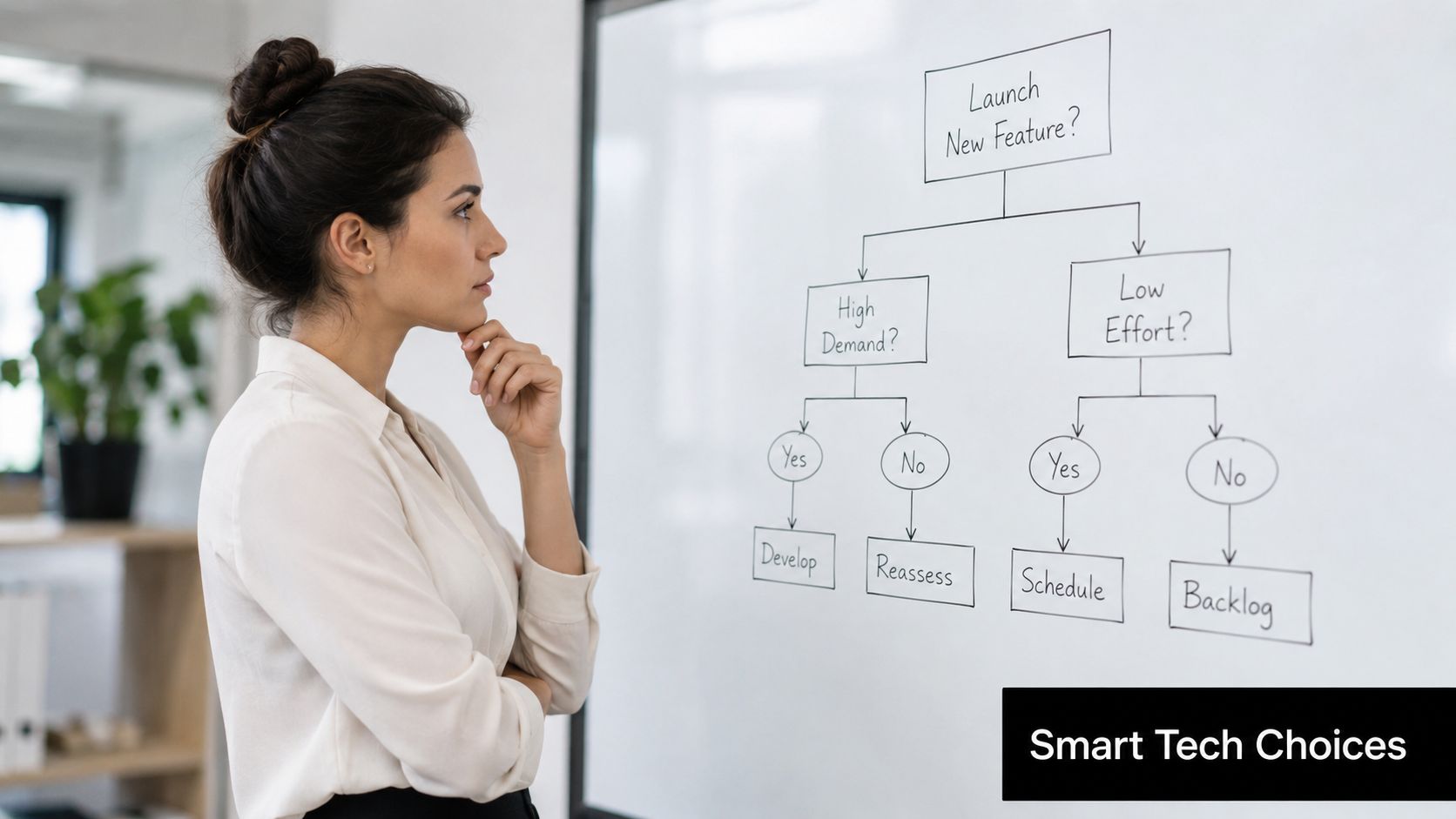
Most SMEs don't need a giant automation stack on day one. They need a reliable way to move data between the systems they already use, trigger alerts, route approvals, and maintain a basic audit trail. Good automation technology should feel proportionate to the problem.
The reason this is more practical than it used to be is simple. The Australian Bureau of Statistics reported that 56% of businesses were using cloud computing in 2023-24, and cloud adoption makes it easier to connect finance, sales, payroll, and operations systems, according to this Australian automation statistics overview. If your business already runs key workflows in cloud tools, automation becomes far more achievable without custom development.
Match the tool to the job
Different categories suit different situations.
Tool type | Best fit | Typical use case | Watch-out |
|---|---|---|---|
Simple connectors | Straightforward cross-app tasks | Send alerts, sync records, trigger reminders | Can become messy if too many one-off automations pile up |
Workflow platforms | Multi-step approvals and handoffs | Leave requests, purchasing approvals, onboarding | Needs process clarity before setup |
Finance-specific apps | AP, AR, expense, payroll-adjacent workflows | Invoice routing, approvals, payment prep | Check how well it connects to your ledger |
Industry tools with automation | Sector-specific operations | Job management, stock workflows, fulfilment triggers | Avoid paying for broad features you won't use |
For many SMEs, the finance system remains the hub. If your general ledger, project reporting, and operational data don't speak cleanly to each other, review your stack first. This article on project accounting software is useful if job profitability, project delivery, or service billing sits at the centre of your workflow decisions.
Nexist can also sit in this category as one option among others, particularly where the problem isn't just software selection but also workflow design, SOPs, and finance-led implementation of repeatable tasks such as invoice reminders, approval routing, or reporting flows.
What to check before you sign anything
Don't assess software on feature lists alone. Assess it against your actual operating model.
Use this filter:
Integration fit: Does it connect cleanly with Xero, MYOB, payroll tools, ecommerce systems, CRM, or inventory software already in use?
Pricing clarity: Can you understand the monthly cost in AUD, including user limits, task limits, and add-ons?
Local operating reality: If payroll, BAS timing, approvals, or document handling matter, can the tool support your Australian workflow without workarounds?
Control and visibility: Can you see who approved what, what failed, and where exceptions sit?
Exit risk: If the tool doesn't work out, can you unwind it without rebuilding the business from scratch?
Cheap software becomes expensive when your staff build manual workarounds around it.
The best choice is rarely the most powerful platform. It's the one your team can run, maintain, and trust. Start with a small footprint, solve one meaningful workflow, and expand only after the business can support the next layer.
From Workflow Map to Standard Operating Procedure
Automation won't fix a messy process. It will just make the mess run faster.
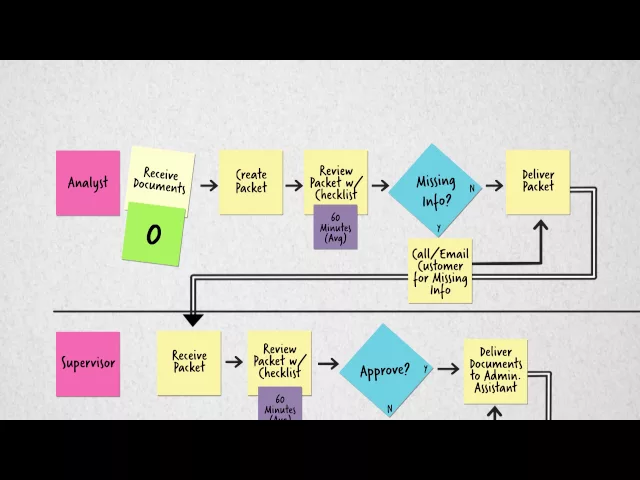
Before anyone touches Zapier, Make, a workflow app, or an AI tool, map the existing workflow in plain language. Who starts the process, what triggers it, where information comes from, who approves it, where it gets stuck, and what happens when something goes wrong. If you can't explain that clearly, you're not ready to automate it.
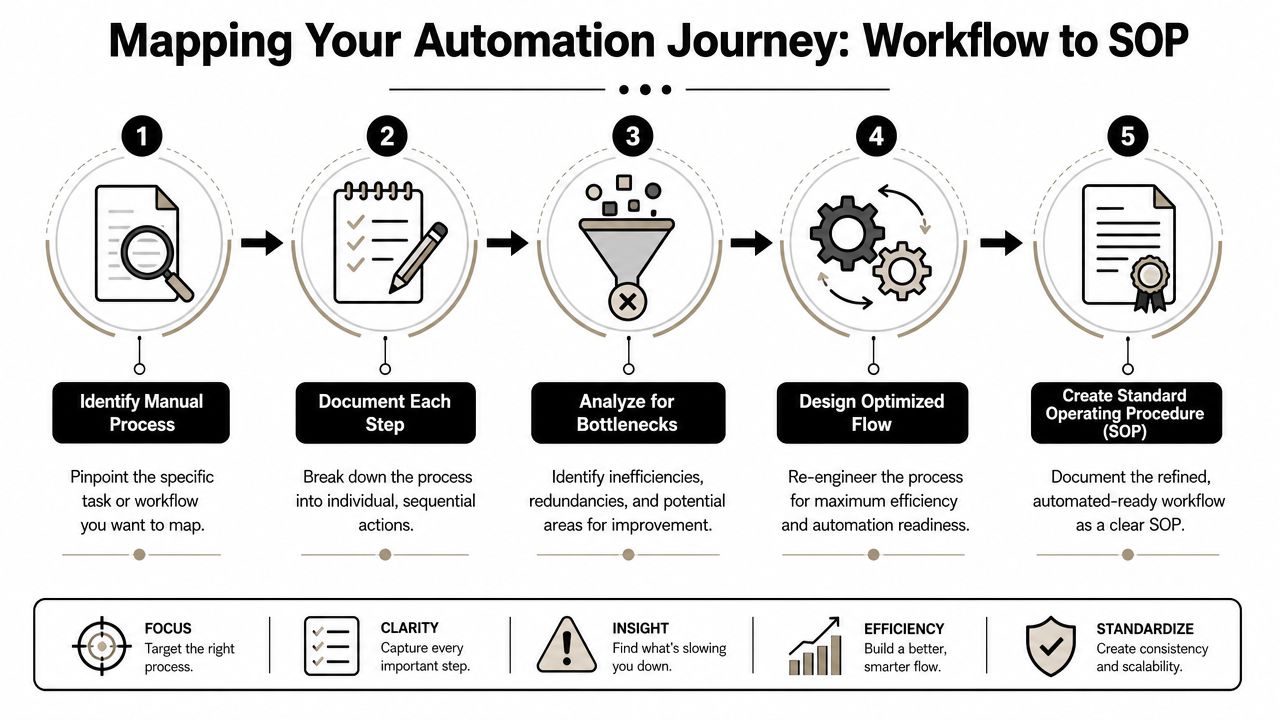
Map the current state before touching software
A useful workflow map usually fits on one page. It should show:
Trigger
What event starts the process? A new order, signed quote, incoming supplier bill, overdue invoice, payroll change, or low-stock threshold?Inputs
What information is required, and where does it come from? Email, form, CRM, accounting system, spreadsheet, stock platform?Steps and decision points
What happens in sequence? Where does someone review, approve, reject, or request more information?Outputs
What should the process produce? Sent invoice, approved bill, updated stock record, onboarding pack, or payroll update.Exceptions
What breaks the standard path? Missing PO, disputed invoice, incorrect customer data, negative stock, or a compliance check.
A founder often discovers that the underlying issue isn't the number of steps. It's unclear ownership. Everyone assumes someone else is handling the follow-up.
If a workflow has no named owner, the automation will eventually fail in silence.
A short visual explanation can help if your team struggles to document process logic consistently:
Turn the future state into an SOP
Once the current state is visible, redesign it. Remove duplicate steps, strip out approvals that exist only because trust is low, and make the automated path as simple as possible.
Then document the future state as a Standard Operating Procedure. A proper SOP should include:
Purpose: What business outcome the workflow supports.
Trigger and timing: When it runs and how often.
System steps: Which tool performs which action.
Human steps: Where a person must review, approve, or handle an exception.
Escalation rules: What happens if the workflow fails, stalls, or hits invalid data.
Ownership: One accountable owner, even if several people touch the process.
This is the step most SMEs skip. They build the automation, it works for a while, then one staff change or software update breaks the chain. Without an SOP, knowledge stays trapped in the founder's head or with the person who built it.
A strong SOP turns automating business processes from a clever workaround into an asset the business can keep using as it grows.
Piloting Scaling and Avoiding Common Pitfalls
A controlled pilot beats a full rollout every time.
That's especially true for finance, payroll-adjacent tasks, inventory workflows, and customer-facing handoffs where a mistake can create a real cash or compliance issue. Australian-focused transformation guidance recommends setting baselines first, testing the process in a controlled environment, and then introducing it in stages once the pilot proves itself, as outlined in this business process transformation guidance.
Pilot one workflow under control
Pick one process. Define the old way. Measure it before you change anything.
Baseline measures usually include:
Cycle time: How long the process takes from trigger to completion
Error rate: How often rework or corrections are needed
Resource use: Who spends time on it and how often
Exception volume: How often the workflow falls outside standard rules
Then run the new workflow in a contained environment. That might mean one business unit, one entity, one approver group, or a limited transaction type.
A practical pilot has a clear boundary:
Good pilot choice: Automatic overdue reminders for a defined customer segment
Poor pilot choice: Rebuilding the full order-to-cash workflow across the whole business at once
Watch the pilot under real conditions. End-of-month pressure, staff leave, messy data, urgent exceptions, and changed approvals are where weak automation gets exposed.
The mistakes that create expensive mess
The first common mistake is automating a broken process. If the team already bypasses the workflow because it's clunky, software won't repair that by itself.
The second is weak governance. This matters more than most SME owners realise. If a founder, bookkeeper, payroll officer, and outsourced CFO all touch the same process, someone must own the control framework. That means clear rules around approvals, exception handling, record keeping, and access.
Here's the finance reality. Automation can strengthen controls, but it can also bypass them if no one checks the design.
Don't ask only “can this be automated?”. Ask “who is accountable when it goes wrong, and how will we know?”
Key governance points for Australian SMEs include:
Approval authority: Define who can approve payments, payroll changes, credits, or purchasing thresholds.
Segregation of duties: Don't let one workflow remove all human checks from sensitive transactions.
Data handling: Know where customer, employee, and supplier data flows, and who can access it.
Tax and payroll discipline: Automated workflows still need to reflect your actual BAS, payroll, and record-keeping obligations.
Monitoring cadence: Someone needs to review failed runs, exceptions, and unusual outputs regularly.
The third mistake is set-and-forget behaviour. Founders often assume that once the automation works for two weeks, it's done. It isn't. Systems change. People change. Inputs change. A workflow that was safe six months ago may now be misrouting tasks or skipping needed checks.
Scale only after the pilot proves three things. It works reliably, staff understand it, and the control points are documented. Then expand in stages, keeping the same discipline each time.
Measuring the Real ROI of Your Automation Efforts
If you only measure time saved, you'll understate the value and sometimes miss the point entirely.
For labour-constrained Australian SMEs, the sharper question is which automations free up hours, reduce rework, and improve cash conversion fastest, especially across payroll, receivables, and inventory bottlenecks, as discussed in this guide to implementing AI workflow automation solutions.
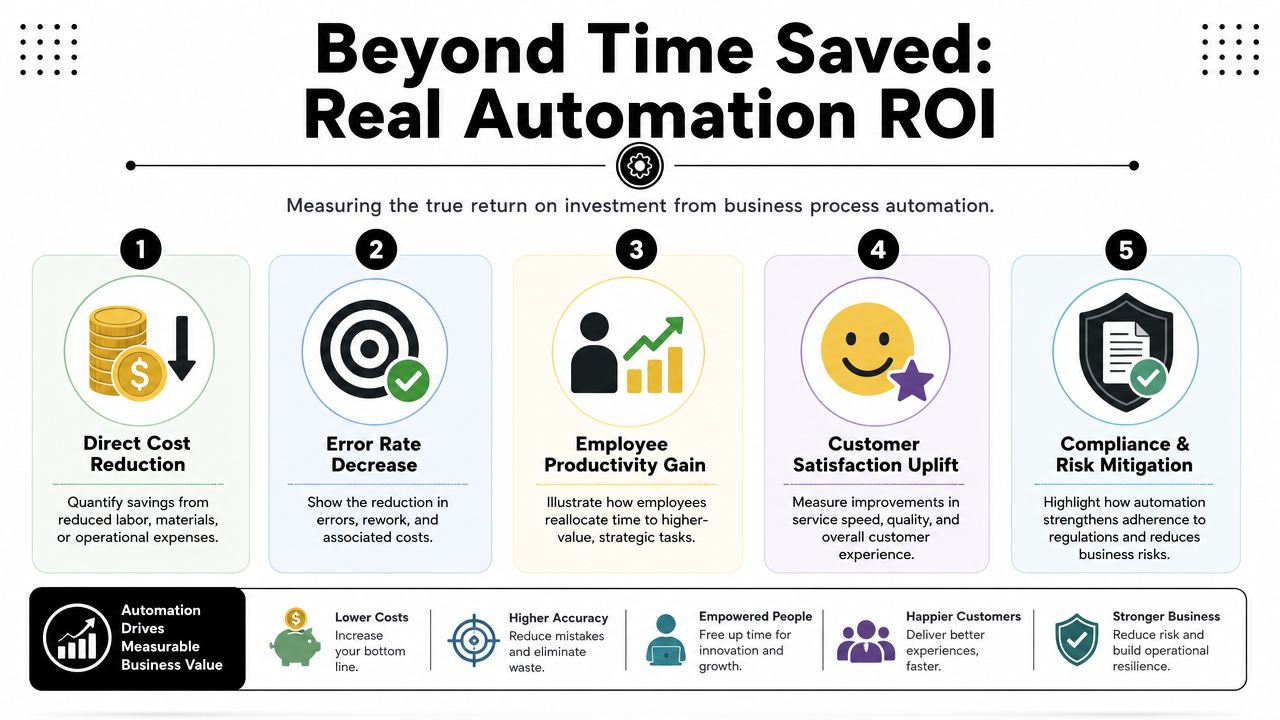
Measure value in cash terms
Start with reclaimed labour, but don't stop there.
A simple internal formula is:
Reclaimed hours x blended staff cost = baseline labour value released
That gives you one line of value. Then add the financial effects that usually matter more:
Faster collections: If invoice reminders, billing prep, or approval routing happen earlier, cash arrives sooner.
Less rework: Fewer payroll corrections, invoice errors, duplicate entries, and stock mistakes reduce hidden admin cost.
Better capacity use: Staff can move from repetitive handling into customer service, sales support, planning, or exception management.
Lower leakage: Cleaner workflows reduce missed billings, delayed follow-up, and preventable stock issues.
If cash timing is a major concern, track the operational effect against your cash conversion cycle, because that's where many owners finally see how process delays tie back to funding pressure.
Track the right metrics after go-live
Use a small monthly scorecard. Keep it practical.
Metric | Why it matters |
|---|---|
Cycle time | Shows whether the process is actually moving faster |
Error and rework count | Reveals whether quality improved or problems just shifted downstream |
Exception volume | Tells you if rules are too loose, too strict, or data quality is poor |
Cash timing impact | Tests whether collections, billing, or stock response improved |
Hours redirected | Confirms whether staff time was genuinely freed up |
The final test is behavioural. Has the founder stopped chasing routine admin? Has the finance team moved from processing to oversight? Are customer and supplier issues getting surfaced earlier instead of later?
That's when automating business processes becomes more than an efficiency project. It becomes part of how the business protects margin and scales without adding chaos.
If you want a finance-first view of where automation will improve cash flow, margins, and owner capacity, Nexist helps Australian SMEs identify the leaks first, then design the workflows, controls, and reporting that make automation worth doing.
automating business processes, sme automation, virtual cfo, workflow automation, australian business

" width="24px"/><g d="M 0 24.129 L 0 0.129 L 24 0.129 L 24 24.129 Z M 0 24.129 L 0 0.129 L 24 0.129 L 24 24.129 Z M 24 3 C 24 1.344 22.656 0 21 0 L 3 0 C 1.344 0 0 1.344 0 3 L 0 21 C 0 22.656 1.344 24 3 24 L 21 24 C 22.656 24 24 22.656 24 21 Z M 6.883 8.375 L 2.863 8.375 L 2.863 20.467 L 6.883 20.467 Z M 4.899 2.545 C 3.524 2.545 2.625 3.449 2.625 4.634 C 2.625 5.795 3.496 6.724 4.846 6.724 L 4.872 6.724 C 6.273 6.724 7.146 5.795 7.146 4.634 C 7.12 3.449 6.274 2.545 4.899 2.545 Z M 16.747 8.09 C 14.614 8.09 13.659 9.263 13.124 10.086 L 13.124 8.374 L 9.105 8.374 C 9.159 9.508 9.105 20.466 9.105 20.466 L 13.124 20.466 L 13.124 13.713 C 13.124 13.352 13.15 12.99 13.257 12.732 C 13.547 12.01 14.209 11.262 15.319 11.262 C 16.773 11.262 17.355 12.372 17.355 13.996 L 17.355 20.466 L 21.374 20.466 L 21.374 13.532 C 21.374 9.818 19.391 8.09 16.747 8.09 Z" fill="transparent" height="24.12890599668026px" id="dSFdkJotL" width="24px"><path d="M 0 24 L 0 0 L 24 0 L 24 24 Z" fill="transparent" height="24px" id="wscNJE44G" transform="translate(0 0.129)" width="24px"/><g d="M 0 24.129 L 0 0.129 L 24 0.129 L 24 24.129 Z M 24 3 C 24 1.344 22.656 0 21 0 L 3 0 C 1.344 0 0 1.344 0 3 L 0 21 C 0 22.656 1.344 24 3 24 L 21 24 C 22.656 24 24 22.656 24 21 Z M 6.883 8.375 L 2.863 8.375 L 2.863 20.467 L 6.883 20.467 Z M 4.899 2.545 C 3.524 2.545 2.625 3.449 2.625 4.634 C 2.625 5.795 3.496 6.724 4.846 6.724 L 4.872 6.724 C 6.273 6.724 7.146 5.795 7.146 4.634 C 7.12 3.449 6.274 2.545 4.899 2.545 Z M 16.747 8.09 C 14.614 8.09 13.659 9.263 13.124 10.086 L 13.124 8.374 L 9.105 8.374 C 9.159 9.508 9.105 20.466 9.105 20.466 L 13.124 20.466 L 13.124 13.713 C 13.124 13.352 13.15 12.99 13.257 12.732 C 13.547 12.01 14.209 11.262 15.319 11.262 C 16.773 11.262 17.355 12.372 17.355 13.996 L 17.355 20.466 L 21.374 20.466 L 21.374 13.532 C 21.374 9.818 19.391 8.09 16.747 8.09 Z" fill="transparent" height="24.12890599668026px" id="sTpjGo1tb" width="24px"><path d="M 0 24 L 0 0 L 24 0 L 24 24 Z" fill="transparent" height="24px" id="s7ffpmKOD" transform="translate(0 0.129)" width="24px"/><g d="M 24 3 C 24 1.344 22.656 0 21 0 L 3 0 C 1.344 0 0 1.344 0 3 L 0 21 C 0 22.656 1.344 24 3 24 L 21 24 C 22.656 24 24 22.656 24 21 Z M 6.883 8.375 L 2.863 8.375 L 2.863 20.467 L 6.883 20.467 Z M 4.899 2.545 C 3.524 2.545 2.625 3.449 2.625 4.634 C 2.625 5.795 3.496 6.724 4.846 6.724 L 4.872 6.724 C 6.273 6.724 7.146 5.795 7.146 4.634 C 7.12 3.449 6.274 2.545 4.899 2.545 Z M 16.747 8.09 C 14.614 8.09 13.659 9.263 13.124 10.086 L 13.124 8.374 L 9.105 8.374 C 9.159 9.508 9.105 20.466 9.105 20.466 L 13.124 20.466 L 13.124 13.713 C 13.124 13.352 13.15 12.99 13.257 12.732 C 13.547 12.01 14.209 11.262 15.319 11.262 C 16.773 11.262 17.355 12.372 17.355 13.996 L 17.355 20.466 L 21.374 20.466 L 21.374 13.532 C 21.374 9.818 19.391 8.09 16.747 8.09 Z" fill="transparent" height="24.000006px" id="D0ecaHEcW" transform="translate(0 0)" width="24px"><path d="M 24 3 C 24 1.344 22.656 0 21 0 L 3 0 C 1.344 0 0 1.344 0 3 L 0 21 C 0 22.656 1.344 24 3 24 L 21 24 C 22.656 24 24 22.656 24 21 Z" fill="rgb(55, 184, 218)" height="24.000006px" id="IPLFE6zXx" width="24px"/><path d="M 4.02 0 L 0 0 L 0 12.092 L 4.02 12.092 Z" fill="rgb(255, 255, 255)" height="12.09201px" id="FWhtzAyuY" transform="translate(2.863 8.375)" width="4.02px"/><path d="M 2.274 0 C 0.899 0 0 0.904 0 2.089 C 0 3.25 0.871 4.179 2.221 4.179 L 2.247 4.179 C 3.648 4.179 4.521 3.25 4.521 2.089 C 4.495 0.904 3.649 0 2.274 0 Z" fill="rgb(255, 255, 255)" height="4.17876px" id="VmOsKv4kO" transform="translate(2.625 2.545)" width="4.52095px"/><path d="M 7.641 0 C 5.509 0 4.554 1.173 4.019 1.996 L 4.019 0.284 L 0 0.284 C 0.053 1.419 0 12.376 0 12.376 L 4.019 12.376 L 4.019 5.623 C 4.019 5.262 4.045 4.9 4.151 4.642 C 4.442 3.92 5.103 3.172 6.214 3.172 C 7.667 3.172 8.25 4.282 8.25 5.907 L 8.25 12.376 L 12.269 12.376 L 12.269 5.442 C 12.269 1.728 10.286 0 7.641 0 Z" fill="rgb(255, 255, 255)" height="12.37626px" id="n1XUbhaq0" transform="translate(9.105 8.09)" width="12.268830000000001px"/></g></g></g></g></svg>)